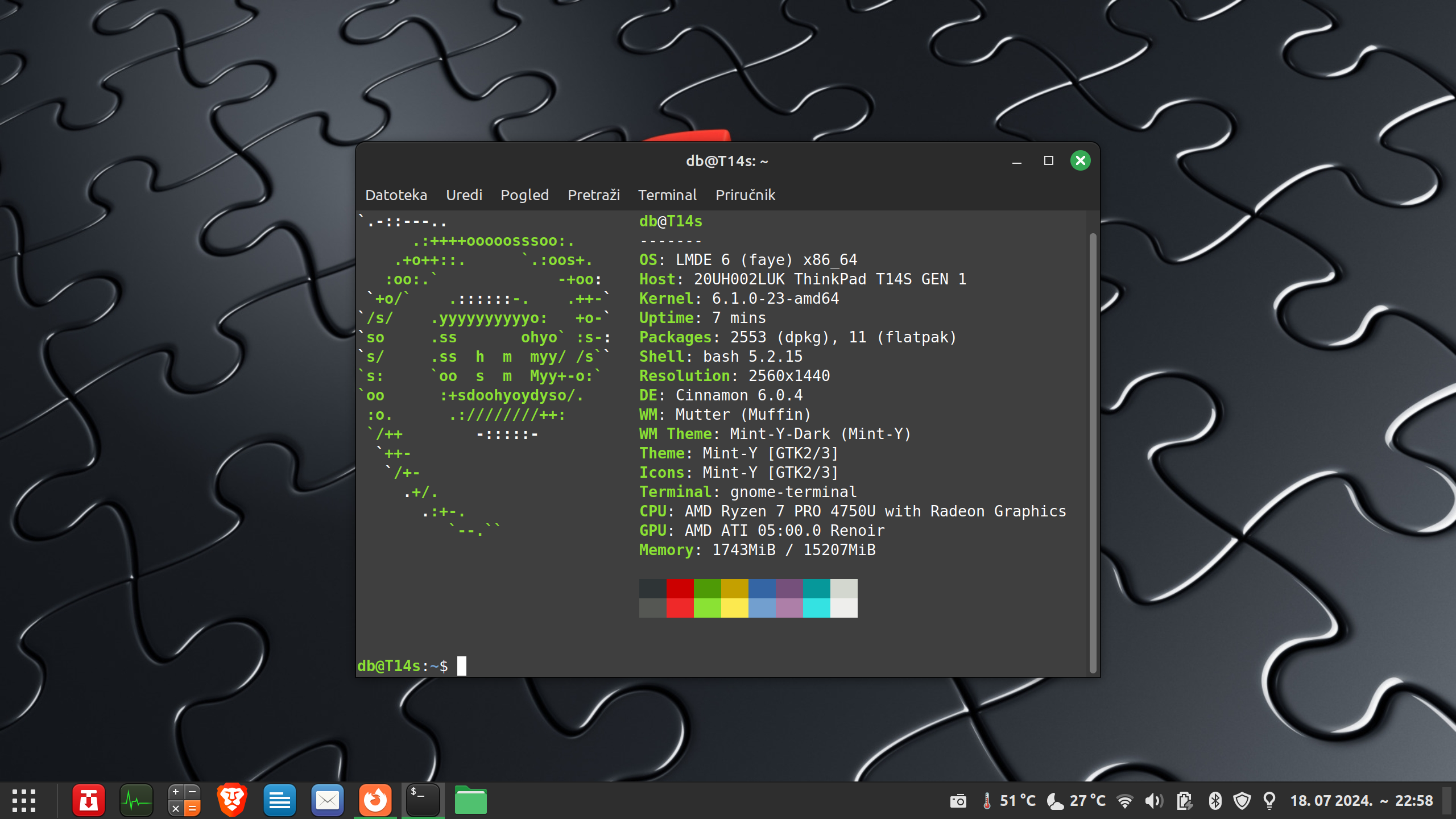
Ma nemate pojma. Pravi programeri koriste butterfly efect.
@max
Nije ni tema o Gentoo. Jedna tema za Gentoo ne izgleda ovako. No kad se već i o editorima raspravlja, sad mene zanima zašto moj nano poziva ovu datoteku
Kod: Označi sve
" = :: =========================================================== :: =
"  Filename: /home/lutherus/.vimrc
"  Filesize: 13459 Bytes on 461 Lines
"   Purpose: My personal VIM  configuration file
"    Author: lutherus
"   License: License? uhm, this is a config file; do with it what ever you want!
"   Created: 26.11.2004 18:20 CET (+0100)
"  Modified: 28.04.2011 13:01 CET (+0100)
"   Version: VIM - Vi IMproved 7.3 (2010 Aug 15, compiled Dec  2 2010 10:44:11)
" = :: =========================================================== :: =


" = :: = Esentiallies ===================================== {{{1 = :: =

if version < 700
    echomsg "Your Vim is somewhat out of date, thus"
	echomsg "update your Editor or don't use this ~/.vimrc"
	finish
endif

set all&
set nocompatible
" set textwidth=0		" Don't wrap
set textwidth=72        " see formatoptions and :h fo-table

set encoding=utf-8
"autocmd!

" = :: = Variables ======================================== {{{1 = :: =

" - :: - 2html.vim Setup ---------------------------------- {{{2 - :: -

    let g:html_use_css        = 1
    let g:html_use_xhtml      = 1
    unlet g:html_use_xhtml
    let g:html_number_lines   = 1
    let g:html_ignore_folding = 1
    let g:html_hover_unfold   = 0
    unlet g:html_hover_unfold
    let g:html_use_encoding = "UTF-8"

" - :: - Spell check Setup -------------------------------- {{{2 - :: -

    let g:spellfile_url = 'http://ftp.vim.org/pub/vim/runtime/spell'
    let g:SpellLangList = [ "nospell", "de_20", "de_19", "en_us" ]
    language messages C

" - :: - BufExplorer Setup -------------------------------- {{{2 · :: -

    let g:bufExplorerDefaultHelp      = 0  " Do not show default help.
    let g:bufExplorerDetailedHelp     = 0
    let g:bufExplorerShowRelativePath = 1  " Show relative paths.
    let g:bufExplorerSplitRight       = 1  " Split right.
    let g:bufExplorerSplitVertical    = 1  " Split vertically.
    let g:bufExplorerUseCurrentWindow = 1  " Open using current window.

" - :: - MiniBufExplorer Setup ---------------------------- {{{2 - :: -

	let g:miniBufExplVSplit = 20

" - :: - Miscellaneous ------------------------------------ {{{2 - :: -

    let g:BKUPDIR=expand("~/.vim/bkup")
	let g:SWPDIR=expand("~/.vim/swap/")
    let loaded_matchparen = 1
    let mapleader=","
    let g:tex_flavor = "latex"		" :h ft-tex-plugin
    let g:loadFileHeaderPlugin = 0

" = :: = File Format, Backup & Swapfile Settings ========== {{{1 = :: =

filetype plugin indent on

if filewritable(BKUPDIR) == 2
	set backup
	let &backupdir=BKUPDIR
else
	set nobackup
endif

if filewritable(SWPDIR) == 2
	let &directory=SWPDIR	" See `:h dir` and the 'Variables' section in this file for explanation
	set swapfile
	set updatecount=150
	set updatetime=7500
endif

set viminfo='25
set vi+=<0
set vi+=:75
set vi+=@75
set vi+=h
set vi+=n~/.vim/viminfo

set history=75

" = :: = Read, Write Permissions ========================== {{{1 = :: =

set noautoread      " don't automatically read files if they changed outside vim
set noautowrite     " don't automatically write files on ':next, :rewind, :last, ...'
set noautowriteall  " like autowrite, but also used for ':edit, :quit, :exit, ...'

set secure

" = :: = Display Settings ================================= {{{1 = :: =

set showcmd          " Show (partial) command in the last line of the screen.
set showmode         " Display current Modus ( --INSERT --, --REPLACE--, ... )
set report=0         " Show _always_ hints about new/changed/deleted Lines
set ruler            " Show the line and column number of the cursor position
set laststatus=2     " Show _always_ the statusline
"set statusline=[%n]%r%m%-25.25(%y[%{&ff}][%{&fenc}]%)%-40.40(%F%)%<%=[%03.3c,%04.4l]\ (%3P)
set statusline=[%n]%m[%03.3c,%04.4l]%r%-25.25(%y[%{&ff}][%{&fenc}]%)%-40.40(%F%)%<%=(%3P)
set cmdheight=1      " Number of screen lines to use for the command-line.
set helpheight=0     " Minimal initial height of the help window
set scrolloff=2      " Keep (at least) 2 screen lines above/below the cursor
set display=lastline " Display much as possible of the last line
"set linespace=2     " Number of pixel lines to use between characters
set cursorline       " Highlight the screen line of the cursor
set shortmess=a      " a=filmnrwx
set shm+=I           " Start without the intro message
set shm+=s           " Suppress 'search hit BOTTOM, continuing at TOP' message
set shm+=tT          " Truncate long filenames/messages
set shm+=oO          " Overwrite some status messages
"set shm+=A           " get rid off the „ATTENTION“ message when a swap file is found

set warn             " Warning when a shell cmd is used while the buffer has been changed.

set nolist           " Show special chars defined by 'listchars'
                     " Notice the the toggle (function) keys in the
                     " mapping section below.
set listchars=tab:×·
set lcs+=trail:←
set lcs+=eol:$
set lcs+=extends:»
set lcs+=precedes:«
set lcs+=nbsp:¬

set nowrap           " wrap lines longer than windowwidth
set linebreak
set breakat=\ \	!;:,.?
set showbreak=\:\:\ »\
set sidescroll=1     " min. number of columns to scroll horizontally.
set sidescrolloff=2  " min. number of columns to keep to the left/right of the cursor

set wrapmargin=0     " Chars from the right window border where wrapping starts

set noerrorbells     " Shut up!
set novisualbell     " Don't flicker!
set t_vb=            " Holy ..., be quite!

" = :: = Window Settings ================================== {{{1 = :: =

set splitbelow
set splitright

" = :: = Completion Settings ============================== {{{1 = :: =

set wildmenu
set wildmode=full
set wildignore+=*.ps
set wig+=*.dvi
set wig+=*.toc
set wig+=*.swp
set wig+=*~

set suffixes+=.pdf
set su+=.aux

" = :: = Tabstop Settings ================================= {{{1 = :: =

set tabstop=4        " ???
set shiftwidth=4     " ???
set expandtab
set shiftround       " ???

"set smartindent
"set softtabstop=4

" = :: = Motion Settings ================================== {{{1 = :: =

set whichwrap=<,>,~,[,]
set backspace=eol,start,indent
set esckeys           " Use cursor keys in Insert Mode
set virtualedit=block " only in Visual Block Mode
set nostartofline     " keep the cursor in the same column

" = :: = Mouse Settings =================================== {{{1 = :: =

set mouse=a
nmap <MiddleMouse> <Nop>
set selectmode=mouse

" = :: = Folding Settings ================================= {{{1 = :: =

set foldmethod=marker
set foldenable

" = :: = Search Settings ================================== {{{1 = :: =

set magic
set wrapscan
set ignorecase
set smartcase
set nohlsearch
set incsearch

" = :: = Printer Settings ================================= {{{1 = :: =

set printheader=%<%F%h%m%=Page\ %N
set printfont=terminus:h11
set printoptions=paper:A4
set popt+=syntax:n
set popt+=jobsplit:y
set popt+=number:y
set popt+=header:2
set popt+=wrap:y
set popt+=duplex:off
set popt+=collate:y

" = :: = Syntax Highlighting ============================== {{{1 = :: =

syntax on

colorscheme miromiro

" = :: = Format Settings ================================== {{{1 = :: =

set noautoindent      " ??? (complex)
set nosmartindent     " ??? (complex)
set nocindent         " ??? (complex)
set nocopyindent      " ??? (complex)

" set formatoptions=tcq " vim standard
" set fo+=r             " insert comment leader after hitting enter
" set fo+=n             " recognize numbered lists
" set fo+=1             " don't break a line after a one-letter word

" set formatoptions=tcq " vim standard
set fo-=t               " Don't auto-wrap text using textwidth

"set formatlistpat=^\s*\d\+[\]:.)}\t ]\s*  " vim standard

set nojoinspaces      " don't insert spaces after '.,?!' with <J>

set switchbuf=usetab,newtab

" = :: = Miscellaneous settings =========================== {{{1 = :: =

set hidden
set ttyfast
set nolazyredraw
set modeline
set modelines=3
set notitle

" = :: = Mappings ========================================= {{{1 = :: =

" - :: - Comments in VISUAL MODE -------------------------- {{{2 - :: -
" Im Visual Mode mehrere Zeilen markieren, dann das gewünschte
" Kommentarzeichen dücken.
" :let @/=""  löscht den letzten Suchbegriff, also den Zeilenanfang
" ansonsten ist bei :set hlsearch in der ganzen Datei der Zeilenan-
" fang hervorgehoben!

vmap # :s/^/# <CR>:let @/=""<CR>
vmap " :s/^/" /<CR>:let @/=""<CR>
vmap % :s/^/% /<CR>:let @/=""<CR>
vmap / :s/^/\/\/ /<CR>:let @/=""<CR>
vmap ; :s/^/; /<CR>:let @/=""<CR>
vmap ! :s/^/! /<CR>:let @/=""<CR>
" und hier löscht man die Kommentarzeichen wieder
vmap - :s/^[#"%\/;!]*<SPACE>//<CR>:let @/=""<CR>

" - :: - Function Keys ------------------------------------ {{{2 - :: -

nmap <F1> :help <C-R>=expand("<cword>")<CR><CR>

map <F2> <ESC>:setlocal hlsearch! <bar> set hlsearch?<CR>
imap <F2> <C-O>:setlocal hlsearch!<CR>

map <F3> <ESC>:setlocal wrap! <bar> set wrap?<CR>
imap <F3> <C-O>:setlocal wrap!<CR>

map <F4> <ESC>:setlocal list! <bar> set list?<CR>
imap <F4> <C-O>:setlocal list!<CR>

map <F5> <ESC>:setlocal number! <bar> set number?<CR>
imap <F5> <C-O>:setlocal number!<CR>

map <F6> <ESC>:setlocal foldenable! <bar> set foldenable?<CR>
imap <F6> <C-O>:setlocal foldenable!<CR>

map <F7> <ESC>:setlocal cursorline! <bar> set cursorline?<CR>

map <F8> <ESC>:call ToggleColorColumne()<CR>

map <F9> <ESC>:call ToggleSpellLang()<CR>
imap <F9> <C-O>:call ToggleSpellLang()<CR>


set pastetoggle=<F12>


" - :: - Misc Mappings ------------------------------------ {{{2 - :: -

map S O#<ESC>a<SPACE>=<SPACE>::<SPACE><ESC>60a=<ESC><CR><ESC>0k9lR

nmap + <C-W>+
nmap - <C-W>-
nmap <S-LEFT> 10<C-W><
nmap <S-RIGHT> 10<C-W>>

nmap <LEADER>e :Texplore<CR>
nmap <LEADER>E :Sexplore<CR>
nmap <LEADER>tn :tabnew<SPACE>
nmap <LEADER>tc :tabclose<CR>

nmap :W :w
nmap :Q :q

nmap <LEADER>HI :so $VIMRUNTIME/syntax/hitest.vim
nmap <LEADER>sv :so ~/.vimrc<CR>

map <LEADER>tm <esc>:r!date +\%R<CR>
map <LEADER>dt <esc>:r!date +'\%A, \%d.\%B \%Y  \%k:\%M'<CR>

nmap <LEADER>s <esc>:%s/ *$//g<CR>
nmap <LEADER>S <esc>:%s/	*$//g<CR>

nmap <LEADER>m <PLUG>MiniBufExplorer
nmap <LEADER>c <PLUG>CMiniBufExplorer

nnoremap j gj
nnoremap k gk
nnoremap Q gq

" = :: = Abbreviations ==================================== {{{1 = :: =

ca hitest so $VIMRUNTIME/syntax/hitest.vim

iab hrul = :: =========================================================== :: =
iab teh the

iab -today- <esc>:r!date \+'\%c'<CR>kJA<esc>

" = :: = Autocommands ===================================== {{{1 = :: =

augroup zsh
	autocmd!
	autocmd BufNewFile,BufRead ~/zsh/*.zsh setlocal ft=zsh
augroup END

augroup note
	autocmd!
	autocmd BufNewFile,BufRead /tmp/sartoo-1000/notes/* setlocal tw=72 fo+=t
augroup END

augroup html
	autocmd!
"	autocmd BufNewFile,BufRead *.html setlocal wrap linebreak matchpairs+=<:>
    autocmd FileType html,xhtml setlocal fo-=t fo-=c
	autocmd FileType html,php,css source ~/.vim/html.vim
augroup END

augroup mutt
	autocmd!
	autocmd BufNewFile,BufRead ~/.mutt/*.muttrc setlocal ft=muttrc
augroup END

augroup mail
	autocmd!
"	autocmd FileType mail setlocal spell spelllang=de_de
"	Das meiste erledigt `ftplugin/mail.vim´
	autocmd BufNewFile,BufRead /tmp/*/mutt-* setlocal comments=n:>,fb:- tw=72 ts=8 sw=8 sts=0 et
"   Entferne leere Kommentarzeilen aus den Mails, also sowas mag ich
"   nicht in meinen Mails:
"   > blabla
"   >
"   >> weiteres blablb
	autocmd BufRead /tmp/*/mutt-* normal :g/^> -- $/,/^$/-1d<CR><C-L>gg
"   in der muttrc wird vim so aufgerufen: set editor="/usr/bin/vim -c '+/^Subject:'
augroup END

augroup tex
	autocmd!
	autocmd BufNewFile *.tex 0r ~/documents/templates/skel.tex
	autocmd BufNewFile,BufRead ~/*.tex setlocal tw=80
augroup END

	autocmd BufReadPost * if line("'\"") > 1 && line("'\"") <= line("$") | exe "normal! g`\"" | endif
	autocmd BufNewFile ~/*.bwb setlocal ft=txt wrap linebreak expandtab list cursorline
	autocmd BufNewFile ~/*.bwb 0r ~/.vim/templates/bwb.tmp
	autocmd BufNewFile ~/*.bwb retab

"	autocmd! FileType vo_base colorscheme 256-sartoo

" = :: = Functions ======================================== {{{1 = :: =

func! ToggleSpellLang()
	if !exists("b:SpellLang")
		let b:SpellLang = 0
	endif

	let b:SpellLang = b:SpellLang + 1

	if b:SpellLang >= len(g:SpellLangList)
		let b:SpellLang = 0
		setlocal nospell
	endif

	if b:SpellLang > 0
		setlocal spell
		setlocal nohls
		let &spelllang=g:SpellLangList[b:SpellLang]
	endif

	echo "language:" g:SpellLangList[b:SpellLang]
endfunc

func! ToggleColorColumne()
    if !exists("b:ColCol")
        let b:ColCol = 0
    endif
    if b:ColCol == 0
        setlocal colorcolumn=+2
        let b:ColCol = 1
        echo "set Colorcolumn"
    else
        setlocal colorcolumn=
        let b:ColCol = 0
        echo "unset Colorcolumn"
    endif

endfunc

" :help :abbreviate-local 14k
func Eatchar(pat)
    let c = nr2char(getchar(0))
    return (c =~ a:pat) ? '' : c
endfunc


" = :: = Plugins ========================================== {{{1 = :: =

runtime! ftplugin/man.vim

filetype plugin indent on
set grepprg=grep\ -nH\ $*
let g:tex_flavor = "latex"
Nadam se da će mi netko od vas iskusnih korisnika znati pomoći. Nemojte se ljutiti, ipak sam početnik.
Također jel mi može netko objasniti i čemu sluši .zshrc? Imam tu i .zshrc pa neznam jel to smijem maknuti ili ne. Hvala.
@jazavac
Ma jok, VIM je operacijski sustav. Gentoo je samo GUI za njega.